Work as a team
Walk into the meeting knowing what they have said, and what they will raise.
Before you meet an MP or a peer, ask Verbatim for a brief. In a minute or two it is written from the record: who they are and what they focus on, what they have said on your client's issue, what they are likely to raise and the questions to ask, every quote dated and linked to its line.
£200 a seat a month. Billed monthly or annually, min 3 seats.
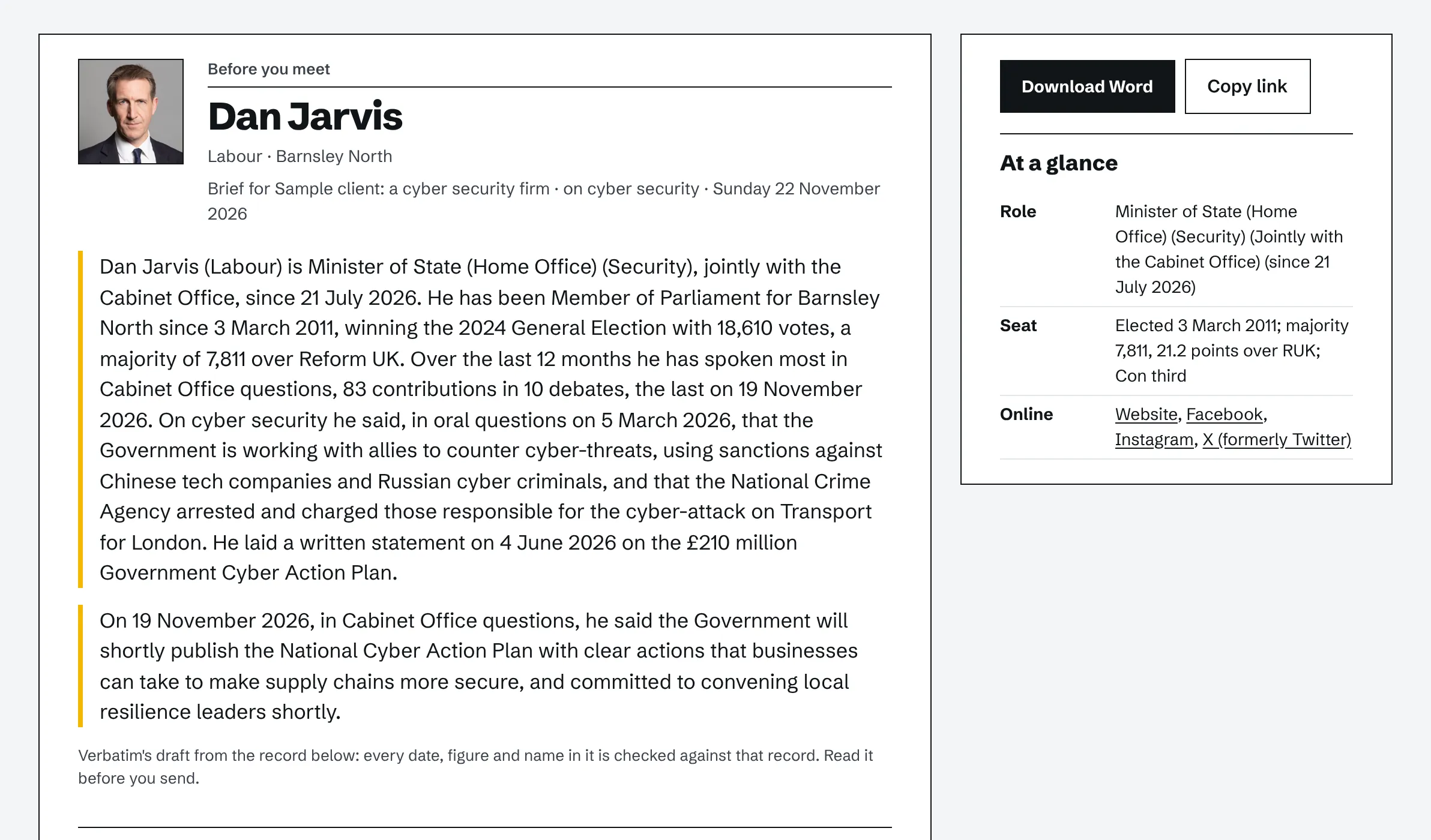
In the product
01 · Screens from Verbatim
- 01
For the meeting
What they are likely to raise, where your client’s interests meet theirs, what to handle with care and the questions to ask.
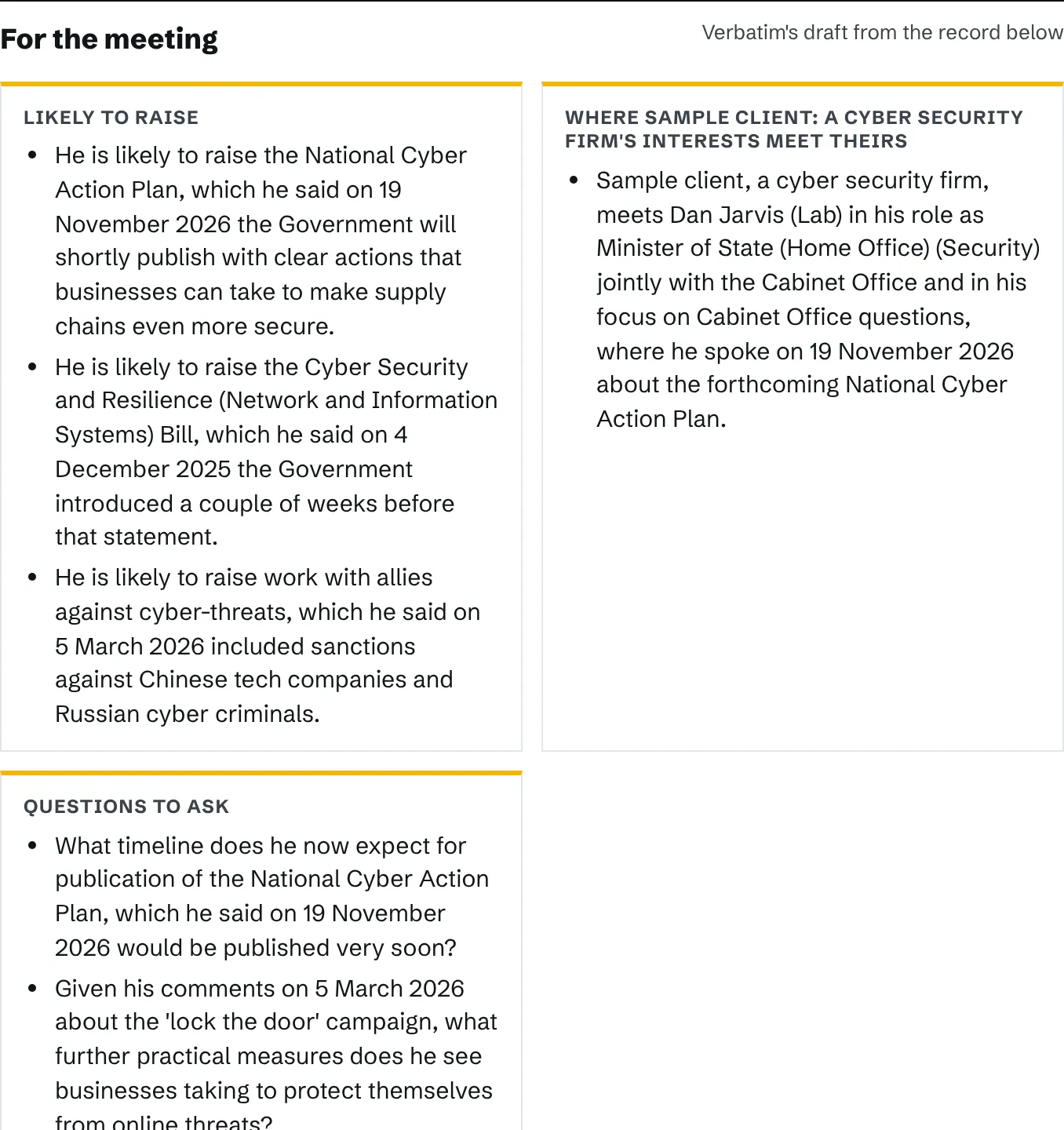
Dan Jarvis, for a cyber security firm, 22 November 2026. - 02
On your client’s issue
What they have said on it in their own words, each quote dated and linked to its line in the record.
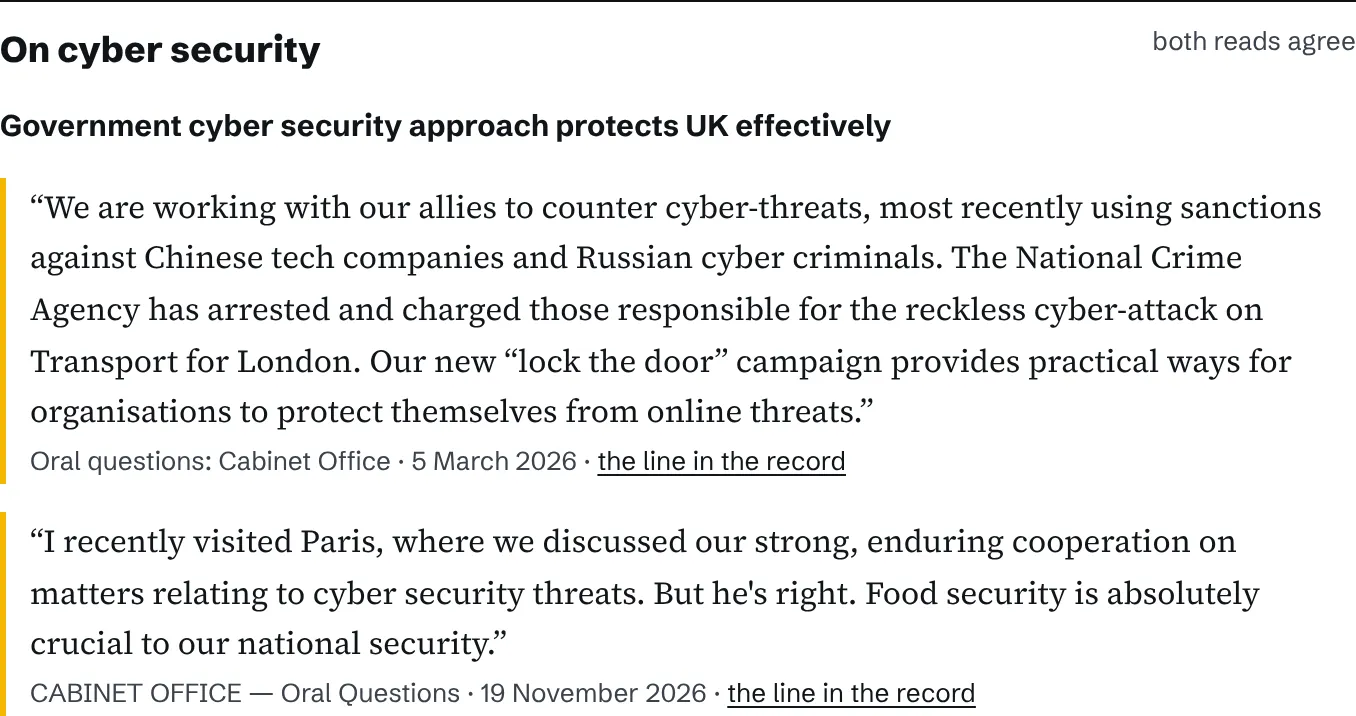
Dan Jarvis, for a cyber security firm, 22 November 2026. - 03
At a glance, and in Word
Their role and since when, their seat and majority, with the brief to download as a Word document or a link to copy for the team.
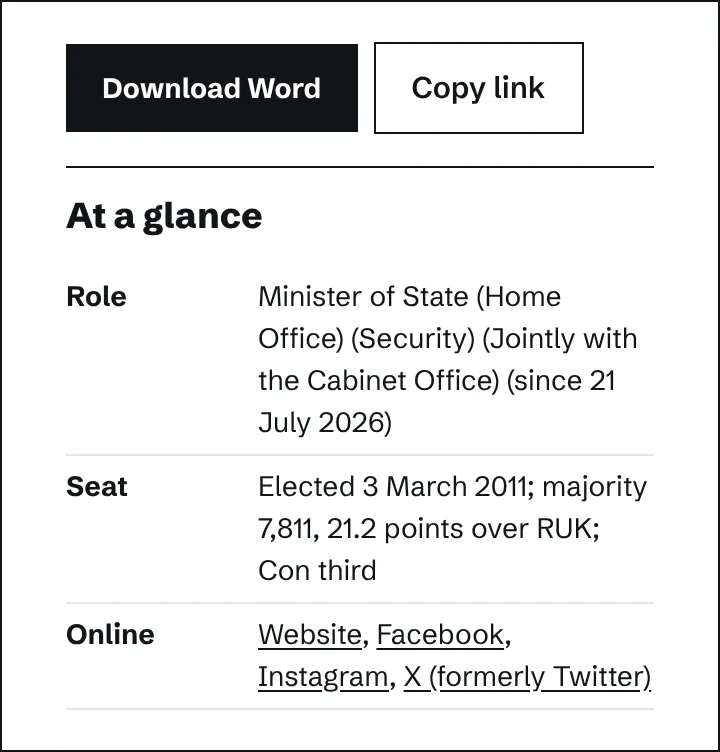
Dan Jarvis, for a cyber security firm, 22 November 2026.
How it works
02 · The steps
- 01
Start from the member
Before you meet sits on every MP's and peer's page. Name the issue, or choose a client and the brief covers their subjects.
- 02
Verbatim writes it
It reads the member's record and writes the brief, usually in a minute or two, every date, figure and name in it checked against that record.
- 03
Take it in
Read it on the page, copy its link for the team, or download it as a Word document under your agency's name.
What you get
03 · In the tool
- At a glanceTheir role and since when, their seat and majority, and the groups they belong to.
- The pictureTwo paragraphs on the member, written from what they have said in the last year.
- For the meetingWhat they are likely to raise, where your client's interests meet theirs, what to handle with care and the questions to ask.
- On your issueWhat they have said on it in their own words, and for an MP how they voted, the motions they signed and the written questions they tabled.
- Every quote citedEach quote is dated and links to its line in the record.
- Shared by the team300 briefs a month, pooled across the whole team.
Who uses it
- Public affairs agenciesPrepare a client for a meeting with a minister or a backbencher in minutes.
- In-house public affairsBrief your chief executive before they meet the local MP.
- Campaign groups and charitiesKnow where a member stands on your cause before you ask for their support.
Which plans include it
04 · Plans
- FreeNot included
- ProNot included
- Team300 briefs a month, pooled across the team
More from Verbatim
05 · Features
 Every accountLive transcriptEvery word in the chamber about ten seconds after it is said, with who said it.
 Every accountSearchEverything said in the Commons since the 2024 election, by keyword or by meaning.
 Every accountAlerts and briefingsFollow members and subjects, hear the moment they come up, read a briefing each morning.
 Every accountWritten questionsEvery written question and answer since the election, and what is still unanswered.
- ProAsk VerbatimAsk a question in plain English and get a written answer, every claim cited.
 ProBriefing StudioA cited briefing on any subject and date range, ready to export to Word.
 ProIssue DashboardWho is driving an issue and where each member stands, in their own words.
 ProDid they answer?Every question to a minister judged against the answer that followed.
 ProCommitment TrackerEvery ministerial commitment, logged with its deadline.
 ProBill TrackerEvery Government Bill on a page of its own: every stage, every amendment, and when it is likely to become law.
 TeamClippingsQuotes filed from the record into shared client folders, with citations, ready for Word.
 TeamClient briefingsA briefing for each client on mornings with news on their issues, in Word, ready to send.
 TeamShared watchlistsOne watchlist for the whole team, by client, with alerts to everyone and to your Slack or Teams channel.